SSH port forwarding (also called SSH tunneling) lets you securely route network traffic through an encrypted SSH connection. There are two directions: local forwarding (-L) to access remote services, and remote forwarding (-R) to expose local services to a remote machine.
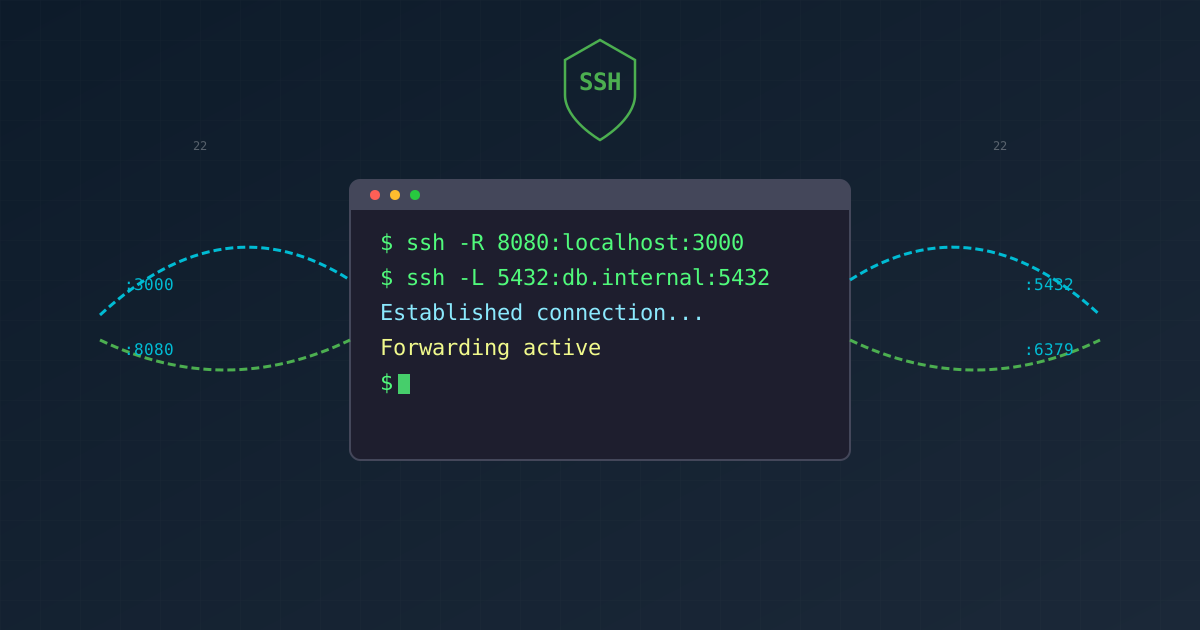
Figure 1: SSH port forwarding connects two machines through an encrypted tunnel
Remote port forwarding (-R)
Remote port forwarding forwards a port on the remote machine to a specified address and port on the local machine.
Syntax:
| |
Example: expose a local web service (localhost:3000) on the remote server’s port 8080.
| |
After this, anyone who connects to remote_server:8080 will actually reach your local localhost:3000.
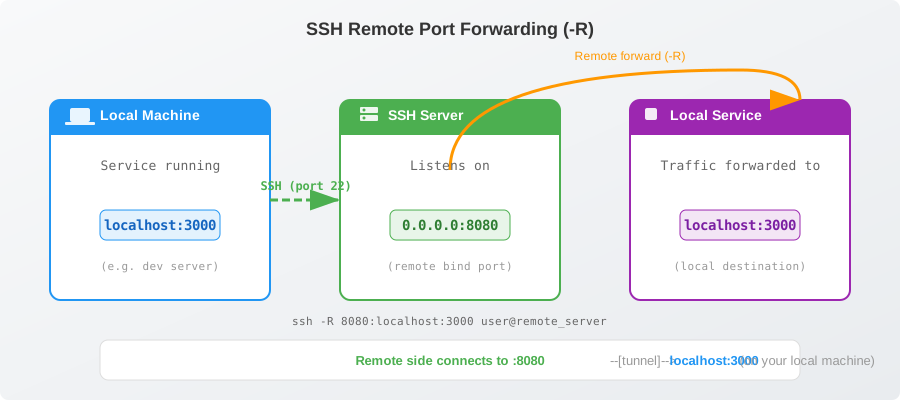
Figure 2: Remote port forwarding: traffic to the remote server’s port 8080 is tunneled back to your local machine on port 3000
Common use cases
- expose a local development server to a remote server or colleague
- NAT traversal: let a public server access services behind your NAT/firewall
- remote debugging: let a remote server connect to a local database
Key parameters
-Rspecifies remote port forwardingGatewayPorts yes(in the remote server’ssshd_config): allows other hosts to access the forwarded port; by default it binds only to127.0.0.1-Ndo not execute a remote command, only forward ports-frun in the background
Example: allow all remote hosts to access the forwarded port:
| |
-R binds to 127.0.0.1 on the remote side, meaning only processes on the remote machine itself can access the forwarded port. to allow external access, set GatewayPorts yes in /etc/ssh/sshd_config on the remote server, or bind to 0.0.0.0 explicitly.Local port forwarding (-L)
Local port forwarding forwards a port on the local machine to an address reachable from the SSH server.
Syntax:
| |
Example: access a remote database through a jump host.
| |
After connecting, localhost:5432 on your local machine is equivalent to db-server.internal:5432 from the jump host’s perspective.
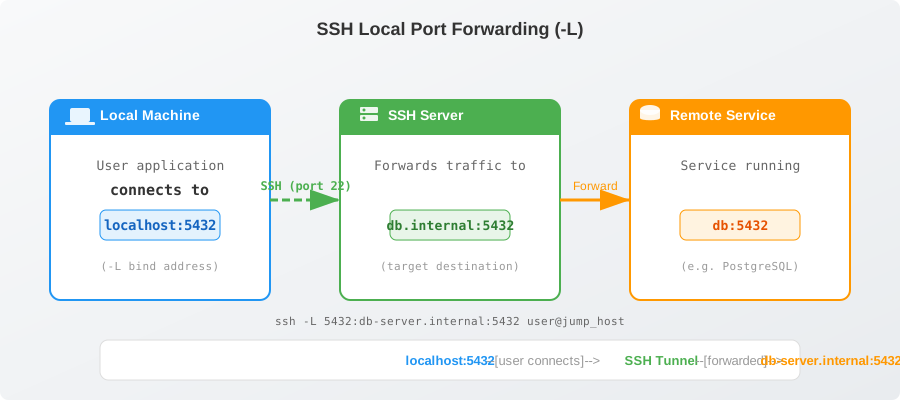
Figure 3: Local port forwarding: you connect to a local port, and the traffic is forwarded through the SSH tunnel to the remote service
Common use cases
- securely access internal services (databases, redis, admin panels)
- reach services behind a firewall through a bastion host
- encrypt traffic between your local machine and a remote service
Key parameters
-Lspecifies local port forwarding-Ndo not execute a remote command, only forward ports-frun in the background
Example: bind to localhost only (the default behavior):
| |
Comparison
| Feature | Local (-L) | Remote (-R) |
|---|---|---|
| Direction | Local port → Remote target | Remote port → Local target |
| Typical use | access internal services via jump host | expose a local service to the remote side |
| Bind address | 127.0.0.1 by default | 127.0.0.1 by default (remote side) |
| Trigger | when you connect to the local port | when someone connects to the remote port |
Persistent configuration via ~/.ssh/config
You can persist port forwarding rules in ~/.ssh/config so you don’t need to specify flags every time.
Command-line to config mapping
| CLI flag | Config keyword | Value format |
|---|---|---|
-L | LocalForward | local_port remote_host:remote_port |
-R | RemoteForward | remote_port local_host:local_port |
LocalForward example
| |
Usage: ssh db-tunnel (equivalent to ssh -L 5432:db-server.internal:5432 -L 6379:redis.internal:6379 admin@jump-server.example.com).
After connecting, access localhost:5432 and localhost:6379 locally to reach the internal services through the jump host.
RemoteForward example
| |
Usage: ssh expose-dev (forwards remote ports 8080/9090 to local ports 3000/8080 respectively).
Forward-only mode (no shell)
| |
combine -N with your config aliases for quick, background-only tunnels.
LocalForward or RemoteForward lines under a single Host block to set up several tunnels at once.